


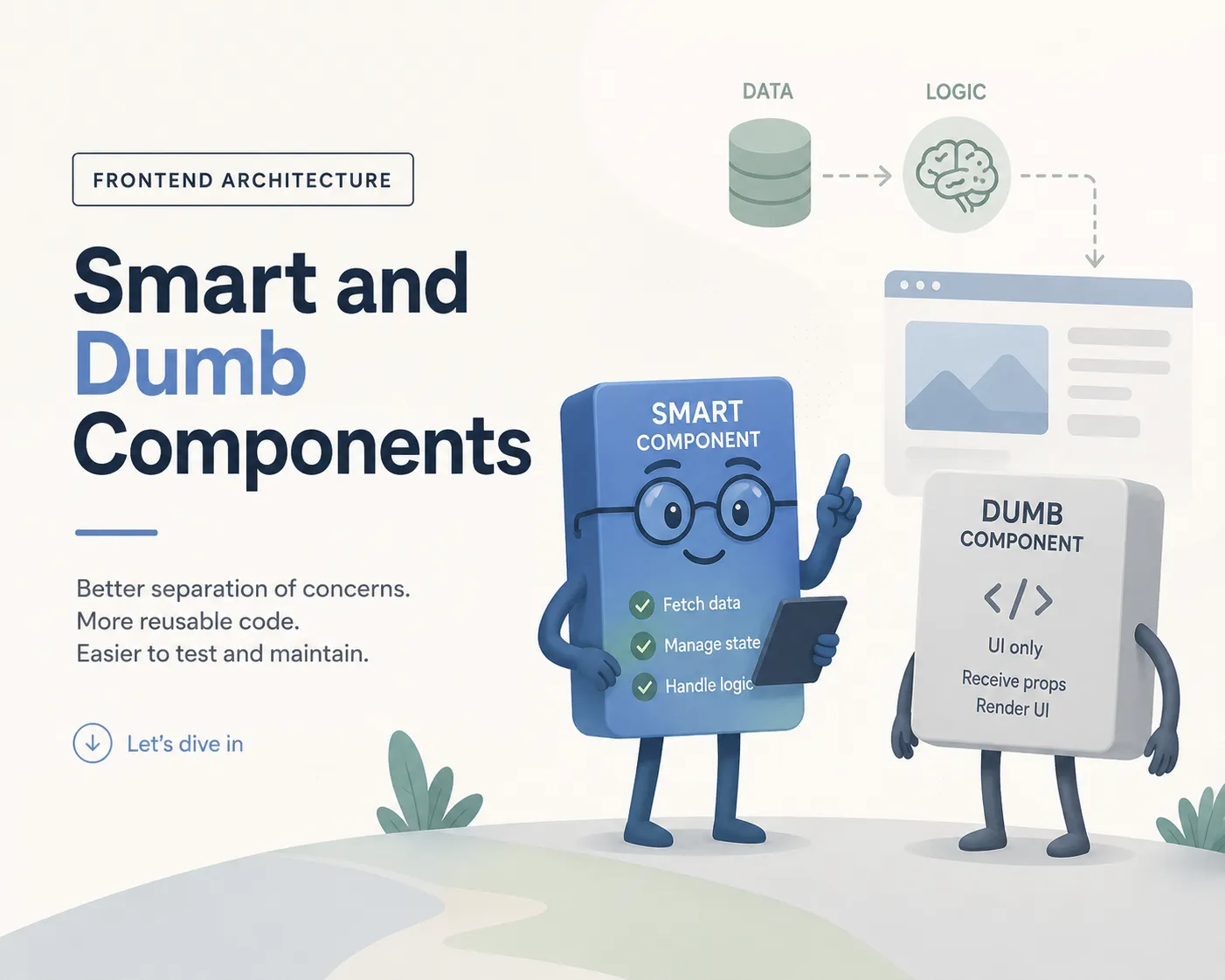
If there's one pattern I enforce on every team I lead, it's the separation between smart and dumb components. It sounds simple. In practice, it's the single highest-leverage architectural decision you can make in a frontend codebase — and teams that ignore it pay the price in every sprint.
The idea isn't new, but I find it's consistently misunderstood. It's not just about "components with state" versus "components without state." It's about a fundamental separation of responsibilities that determines how reusable, testable, and maintainable your code actually is.
What Is a Dumb Component?
A dumb component is generic and completely agnostic to your business logic. It doesn't know where its data comes from. It doesn't fetch anything. It doesn't know what a postal code is, what a shopping cart does, or which API your backend exposes. It receives data through props, renders UI, and reports user interactions back through callbacks. That's it.
Think of it as a pure function for UI: same input, same output, every time. A SelectableList component doesn't care whether it's rendering postal codes, product categories, or country names. Its interface is defined in terms of generic concepts — items with labels and values, a selection callback, maybe a placeholder text.
Important nuance: dumb components can contain other dumb components. A PostalCodeList can be a dumb component that aggregates a SelectableList with extra UI — a label, a country flag, layout. It doesn't transform data or map models. It just composes. The smart component above it is the one that fetches raw API data and maps it into the shape the dumb expects. That's the split: smart transforms the model, dumb aggregates the presentation.
This is the critical point: the dumb component defines its own interface. It is the provider. It says "give me items shaped like this, and I'll render them." The parent must adapt its data to match, not the other way around.
// Dumb component: generic, reusable, knows nothing about postal codes
interface SelectableListProps {
  items: { label: string; value: string }[];
  onSelect: (value: string) => void;
  placeholder?: string;
}

export const SelectableList: FC<SelectableListProps> = ({
  items,
  onSelect,
  placeholder = 'Select...',
}) => (
  <ul role="listbox" aria-label={placeholder}>
    {items.map((item) => (
      <li key={item.value} role="option" onClick={() => onSelect(item.value)}>
        {item.label}
      </li>
    ))}
  </ul>
);

// Also dumb! Aggregates SelectableList with postal-code-specific UI
// Adds a label and flag — but does NOT transform data, only composes
export interface PostalCodeListProps {
  items: SelectableListProps['items'];
  onSelect: (value: string) => void;
  label?: string;
  countryFlag?: string;
}

export const PostalCodeList: FC<PostalCodeListProps> = ({
  items,
  onSelect,
  label = 'Postal code',
  countryFlag,
}) => (
  <div>
    <span>{countryFlag} {label}</span>
    <SelectableList items={items} onSelect={onSelect} placeholder={label} />
  </div>
);
What Is a Smart Component?
A smart component is the consumer. It knows about your business domain. It fetches data from APIs, manages state, handles side effects, and transforms raw data into the shape that dumb components expect. It's the glue between your backend and your UI.
A PostalCodePicker is a smart component. It knows that postal codes exist, that they come from an API, and that they're filtered by country. It fetches the raw data and maps it into the generic items format that the dumb PostalCodeList expects. The dumb component never sees your API model — it only sees clean, pre-transformed props. That's why the dumb stays reusable: it has no idea where the data came from or what shape it had before.
// Smart component: fetches data AND transforms the model for the dumb component
import { PostalCodeList } from './PostalCodeList';

export const PostalCodePicker: FC<{ country: string }> = ({ country }) => {
  const [codes, setCodes] = useState<PostalCode[]>([]);

  useEffect(() => {
    fetchPostalCodes(country).then(setCodes);
  }, [country]);

  // Smart transforms raw API data → shape the dumb component expects
  const items = codes.map((c) => ({
    label: `${c.code} — ${c.city}`,
    value: c.code,
  }));

  return (
    <PostalCodeList
      items={items}
      onSelect={(code) => updateAddress({ postalCode: code })}
      countryFlag={getFlagEmoji(country)}
    />
  );
};
The Provider Analogy
I teach this as the provider/consumer pattern. The child component is the provider — it provides a clean, well-defined interface. The parent component is the consumer — it consumes that interface by transforming its data to fit.
This inverts how most developers think about component relationships. The natural instinct is "the parent decides what the child gets." But in well-architected code, the child declares what it needs, and the parent is responsible for adapting. The parent transforms model data to the child's props interface. The parent is responsible for layout — margin, gap, grid, flex.
Why does this matter? Because when the child defines the contract, the child stays generic. It can be reused anywhere. But when the parent dictates the shape, the child becomes coupled to one specific use case.
// The child (dumb) defines the interface — it is the PROVIDER
// The parent (smart) adapts data to that interface — it is the CONSUMER

// ❌ Wrong: dumb component receives raw API data and maps it internally
<PostalCodeList codes={rawApiResponse} format="CH" />
// Now PostalCodeList has to know how to transform your API model — it's coupled

// ✅ Right: smart transforms, dumb aggregates
// Smart maps the model to the shape the dumb expects
const items = apiResponse.map((c) => ({ label: `${c.code} — ${c.city}`, value: c.code }));
// Dumb just composes other dumb components (label + SelectableList)
<PostalCodeList items={items} onSelect={handleSelect} countryFlag="🇨🇭" />
Why This Split Changes Everything
Storybook and documentation: dumb components live beautifully in Storybook. You pass in props, you see the result. No mocked APIs, no provider wrappers, no authentication context. This means designers can review components in isolation, QA can test edge cases without setting up full environments, and new developers can browse your component library and understand what's available.
Shared code across projects: dumb components are portable by definition. That SelectableList works in your e-commerce checkout, your admin dashboard, and your mobile app. Because it knows nothing about your business, it belongs to everyone. We put these in a shared component library and they become genuine reusable assets instead of copy-paste templates.
Testing is straightforward: testing a dumb component is trivial — render it with props, assert the output. No API mocking, no async state to wait for, no context providers to wrap. Testing a smart component is also cleaner because you only test the data logic and orchestration, not the rendering details.
Refactoring without fear: when your API changes shape, you update the smart component's transformation logic. The dumb component doesn't change. When your design team updates the list styling, you update the dumb component. The smart component doesn't change. Changes are isolated because responsibilities are isolated.
When to Split
You don't start split. You start with everything in one component. This is important — premature splitting is just premature abstraction wearing a different hat. This ties directly into the YAGNI principle I wrote about in YAGNI Over DRY: Why I Stopped Writing "Clean" Code. Don't extract a dumb component because you think you might reuse it someday. Extract it when you actually need to.
I split when one of these becomes true: the component fetches data AND renders complex UI, the visual part could be reused in another context with different data, the file is getting too big (which often signals broken single responsibility), or I want this component in Storybook.
HTML that is purely structural — a wrapper div for layout, a section tag for semantics — does not need its own component. Don't extract things just because they're HTML. Extract things because they represent a meaningful, reusable piece of UI with a clear interface.
The Real Payoff
Teams that enforce this separation ship faster over time. Not on day one — on day one, writing everything inline is faster. But by month three, the team with clean separation has a library of tested, documented dumb components they can compose into new features in hours instead of days. The team without it has a pile of tangled smart components where every change risks breaking something unrelated.
It's not about architectural purity. It's about making the second feature cheaper than the first. That's the whole point of good architecture — reducing the cost of change. And no pattern does that more reliably than keeping your business logic out of your UI components.